
Search your locations by what is in the photos
Photos, walkthrough video, rate, owner contact and notes on every location you have scouted. Tags are read off the photos, so you can search for a porch without having typed the word.
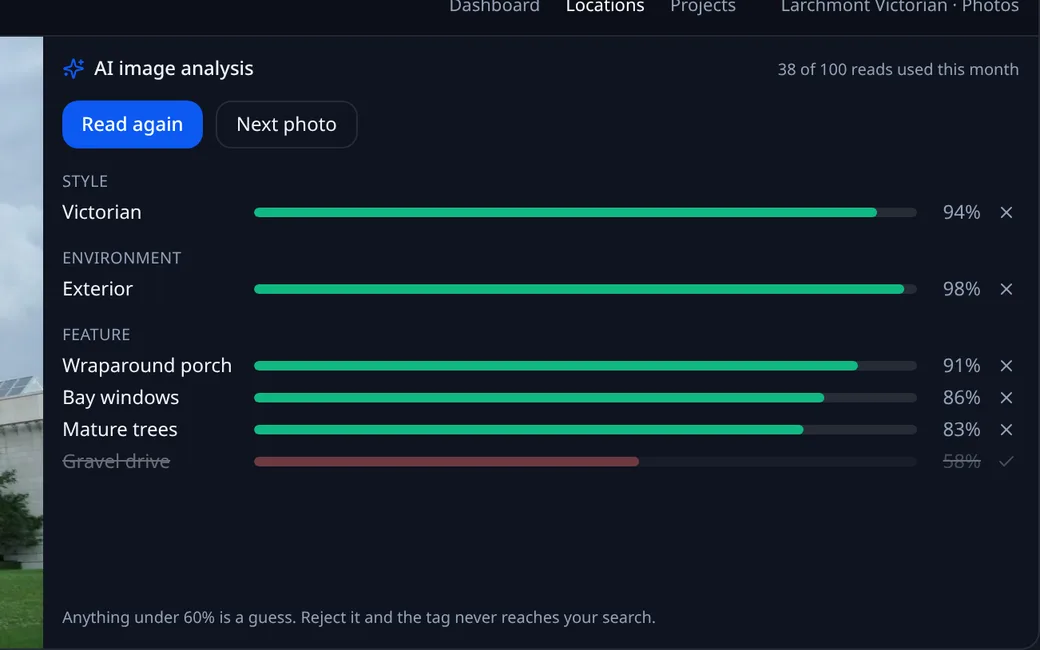
What one image read returns
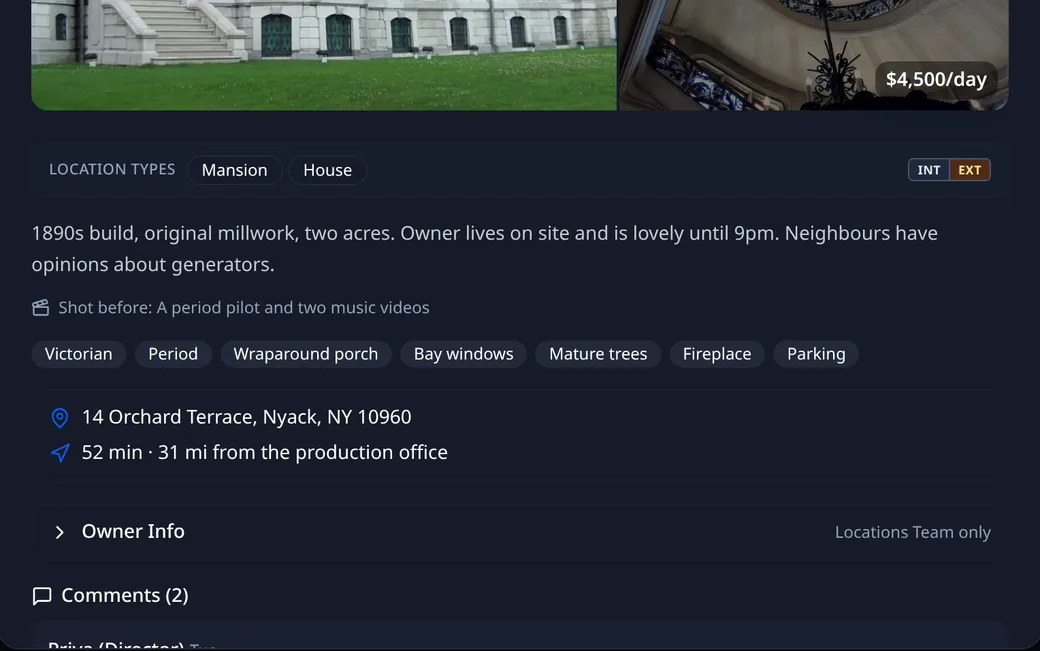
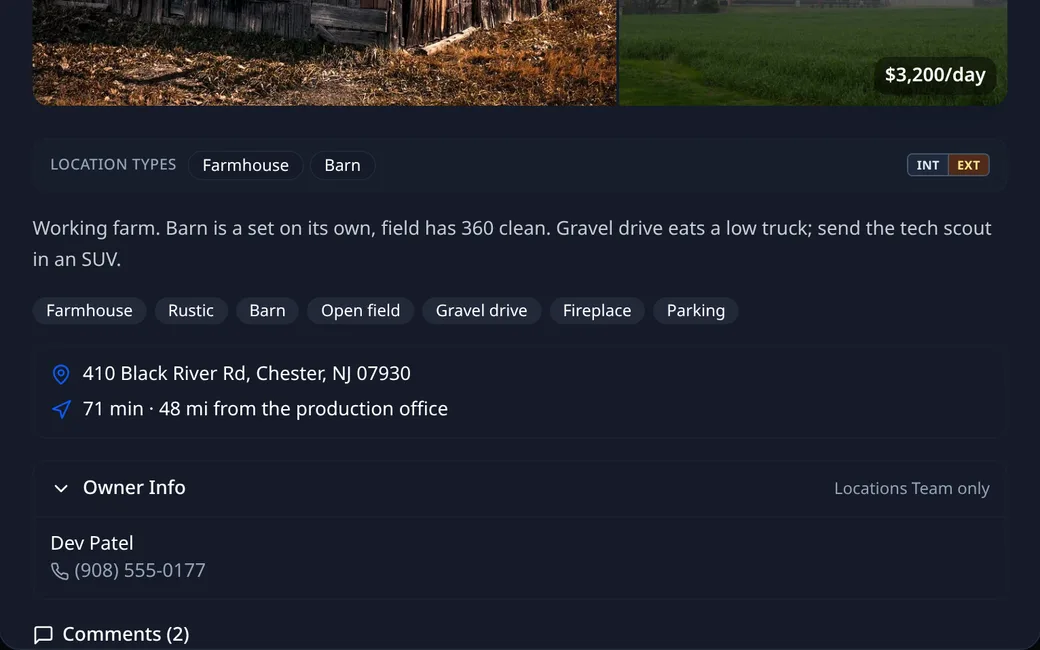
Search, filters, and a location opened
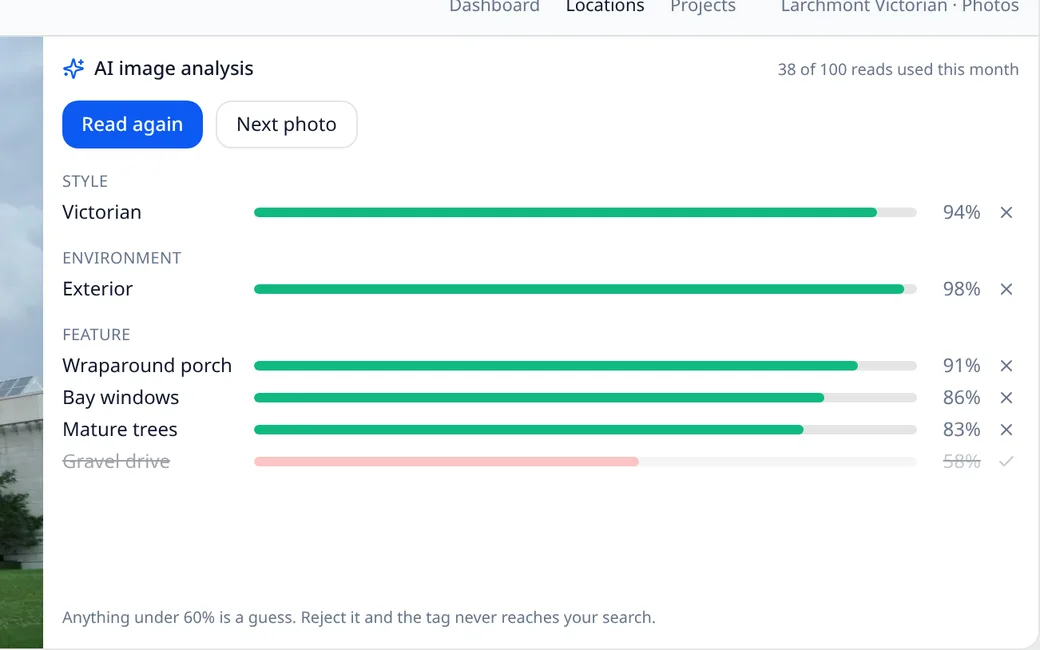
01AI tags from the photos
Style, environment and features, each with a confidence score. Strike the ones it got wrong. Three or four photos per location is usually enough.
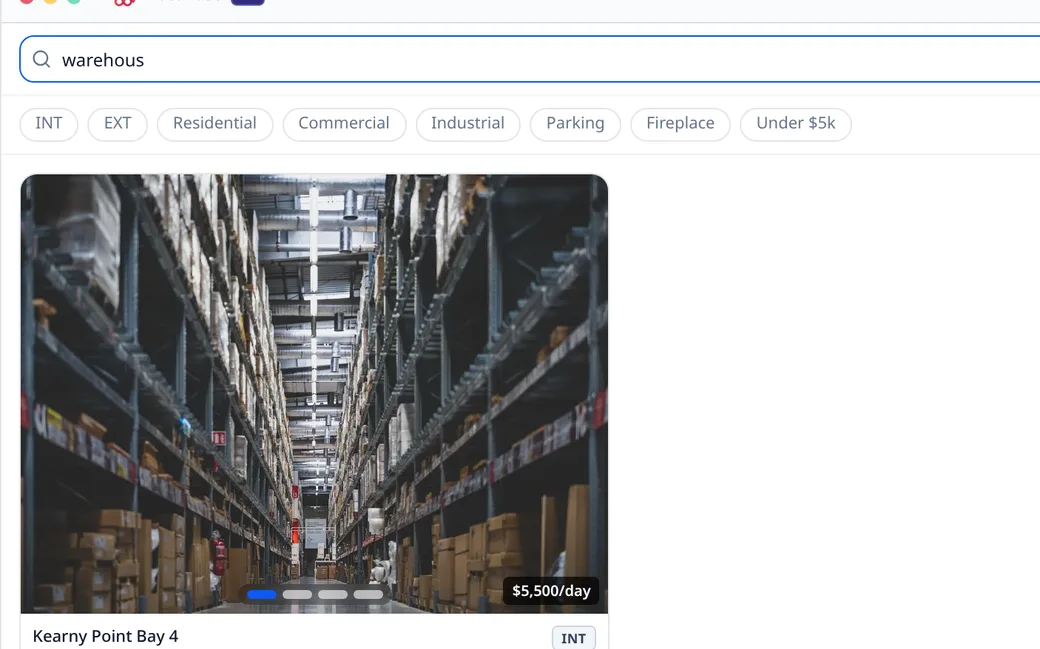
02Search that tolerates typos
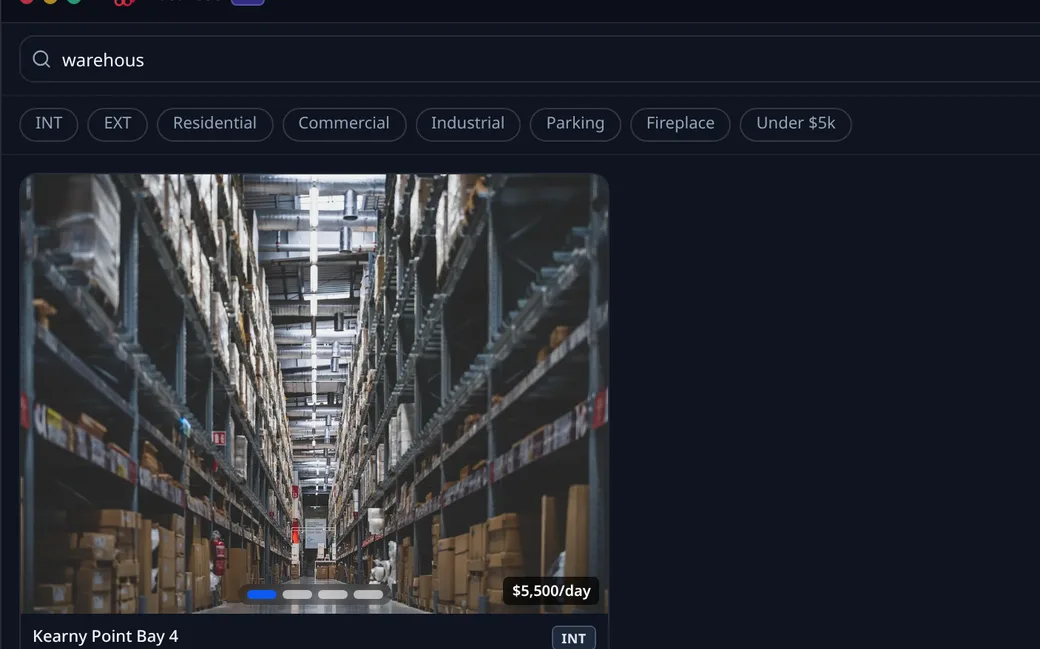
"warehous" finds the warehouse. Names, cities, addresses and tags are all searched, and one word in three can be misspelt.
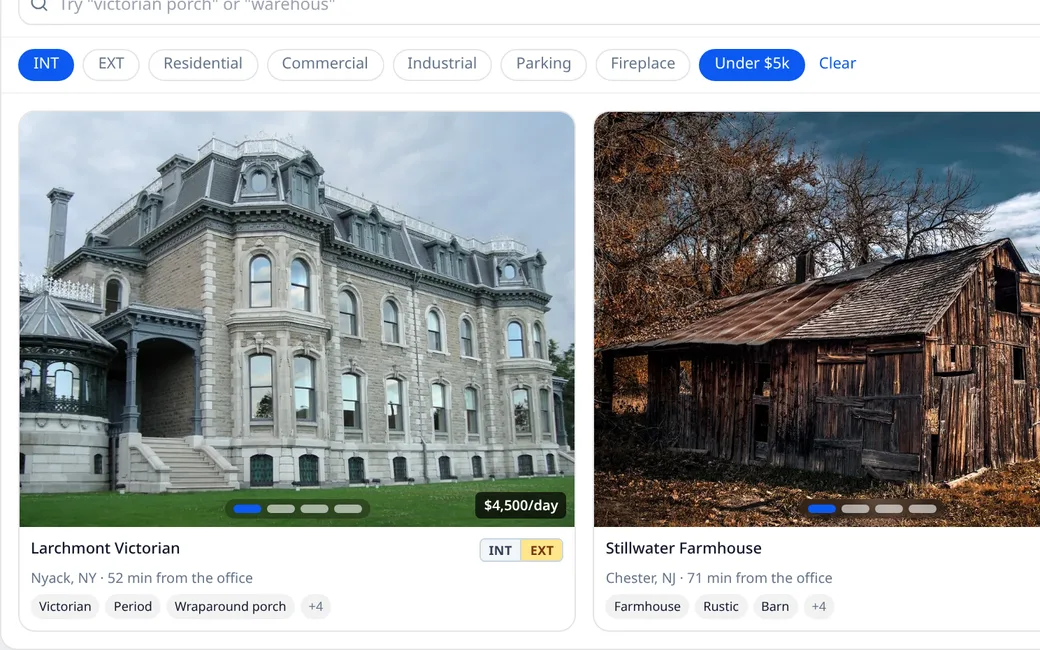
03Filters that stack
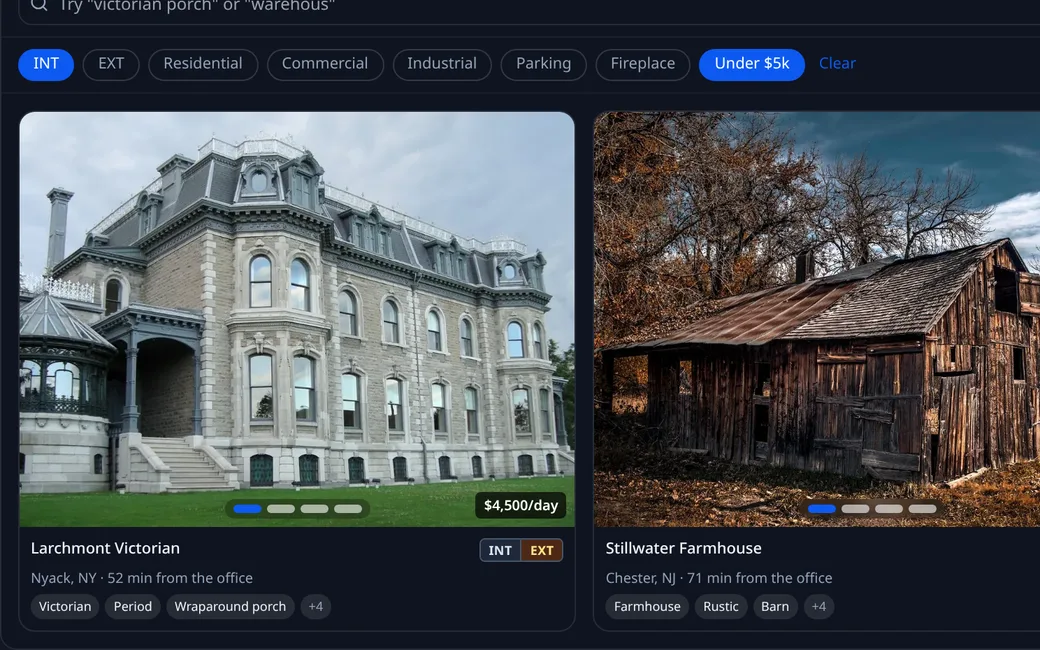
INT/EXT, category, features and rate. Combine them until the list is down to the one you meant.
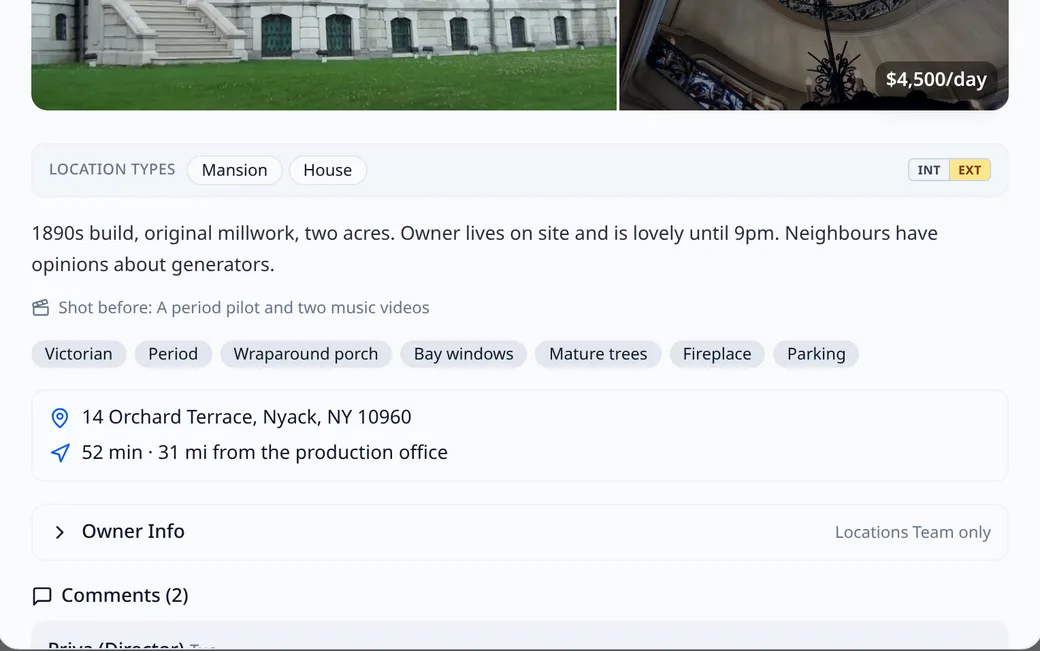
04Drive time from the office
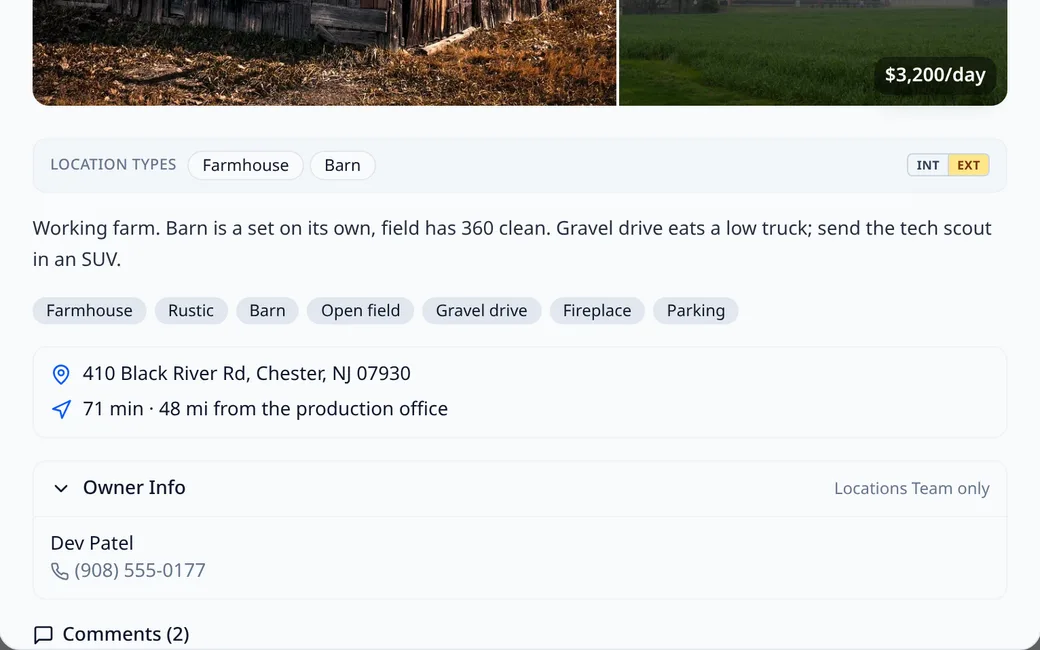
Set the production office once and every location shows minutes and miles from it. Move the office and the numbers follow.
05Owner contact on the location
The owner's name and number sit on the location, folded away. On a share only the Locations Team sees them. The director's comments land underneath.
Join the waitlist
We let productions in a few at a time. If you are in prep now, say so and we move you up.