
Mark the calendar once, read it as a DOOD
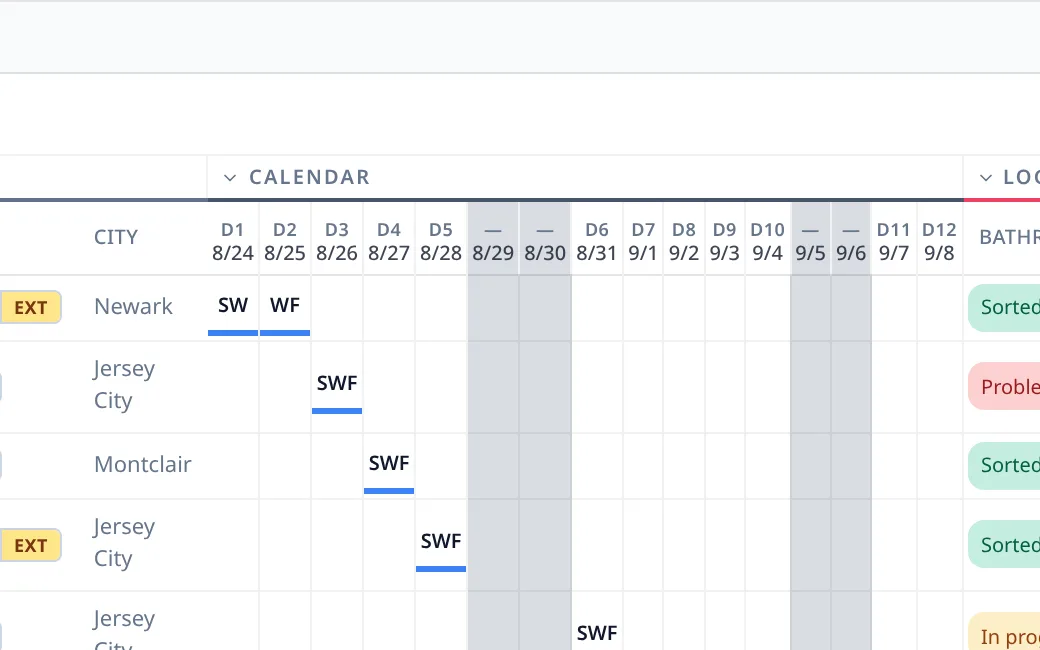
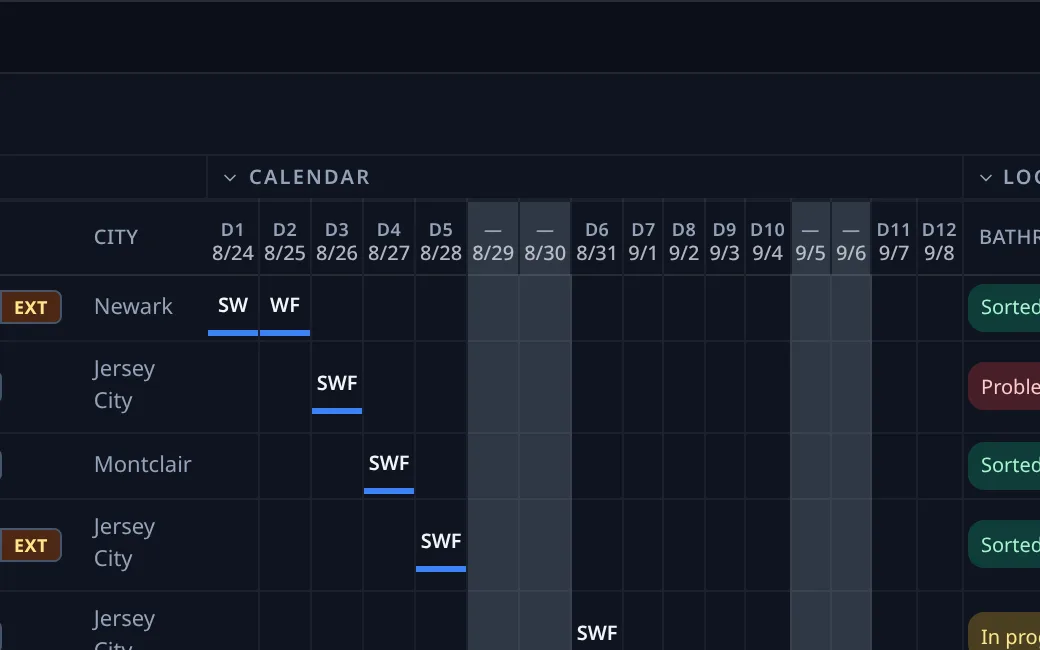
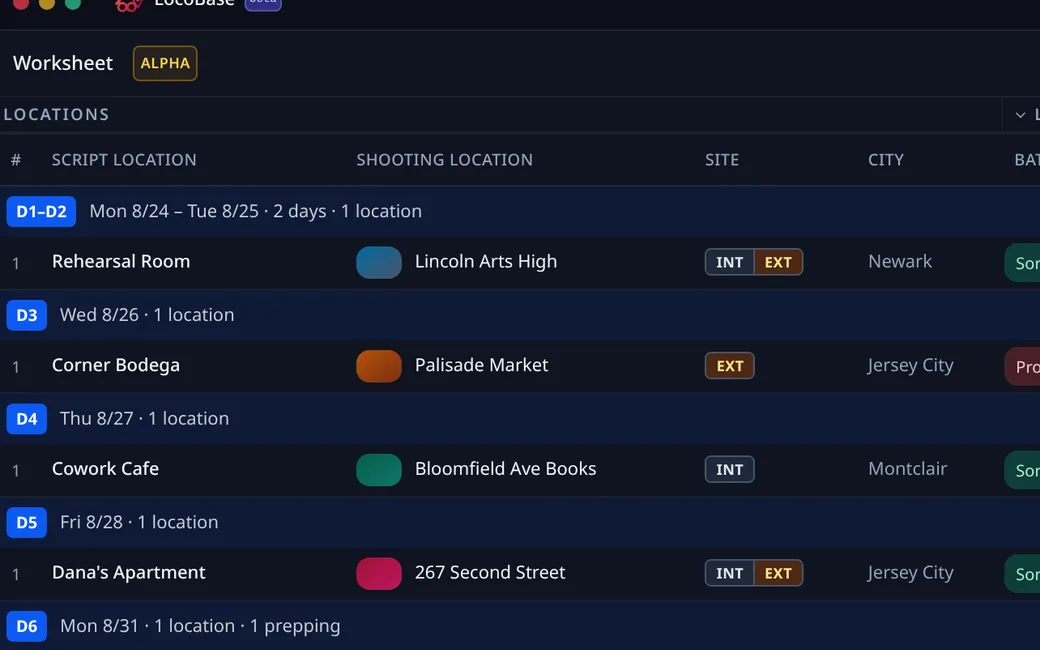
Script locations down the side, the days across the top. Mark where each one shoots, preps and wraps, then turn on Day banners and read the same sheet day by day.
01Mark the days
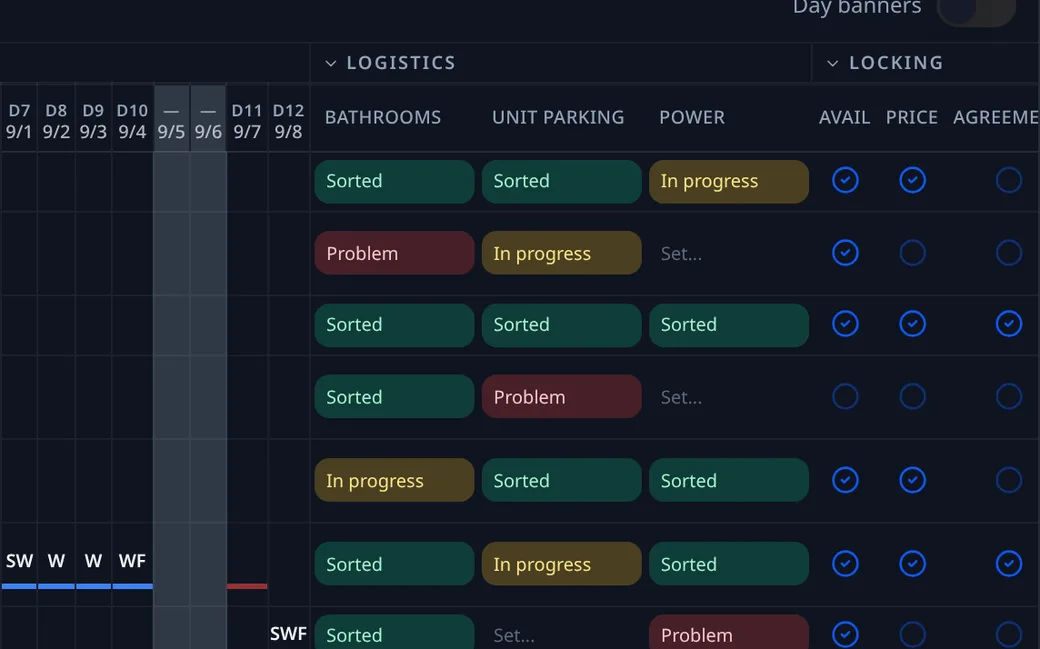
Click a cell for Shoot, Prep or Wrap, or drag across a run. SW, W and WF follow the run the way they do on a DOOD.
02Read it day by day
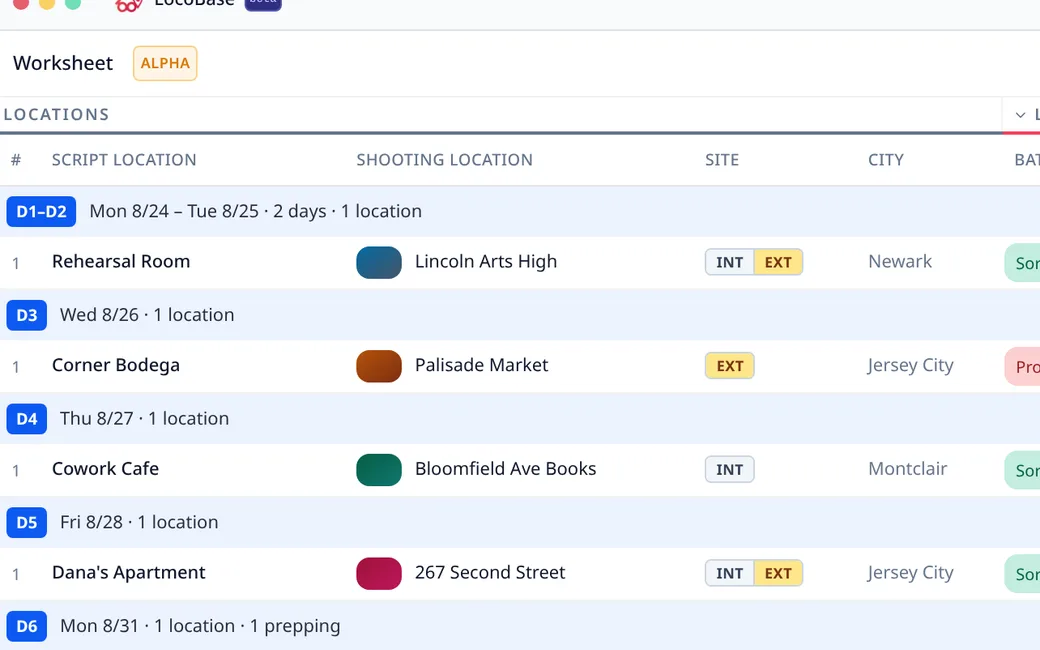
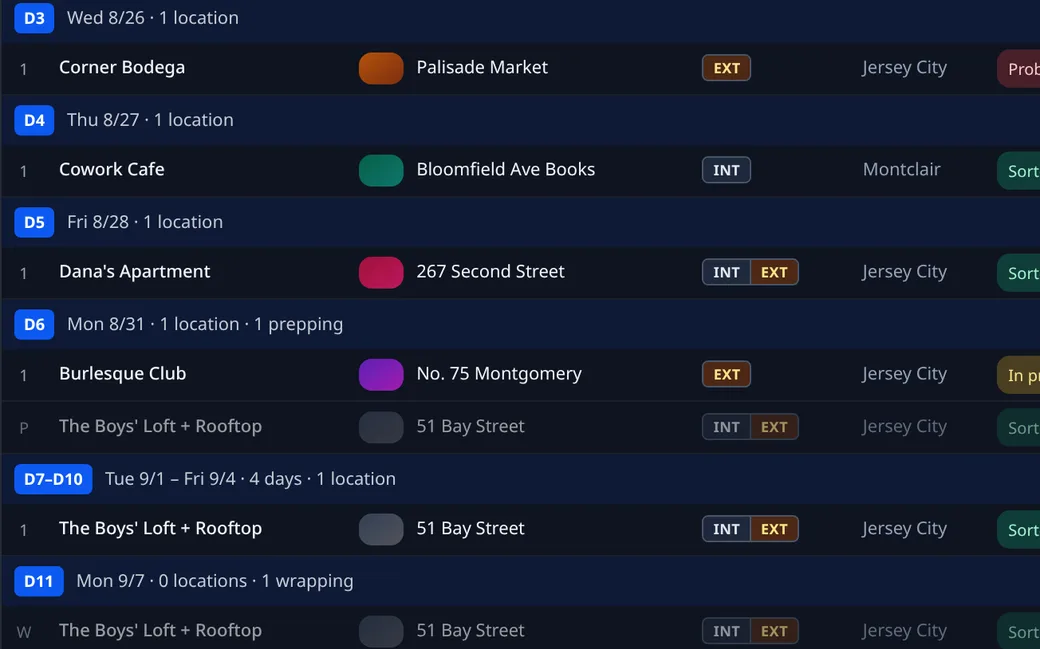
Day banners regroup the same marks by shoot day. Days with the same locations merge into one block, like the spreadsheet used to.
03Prep is not a location
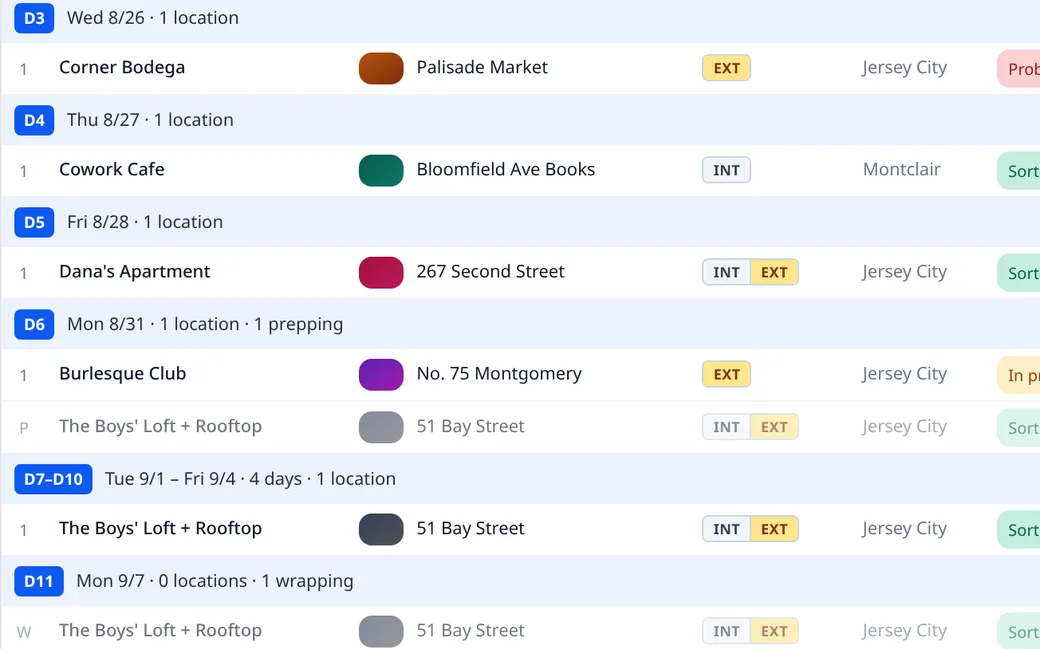
"3 locations" means three places the camera turns over. Prep and wrap hang under the band with a P or a W.
04Locking in four ticks
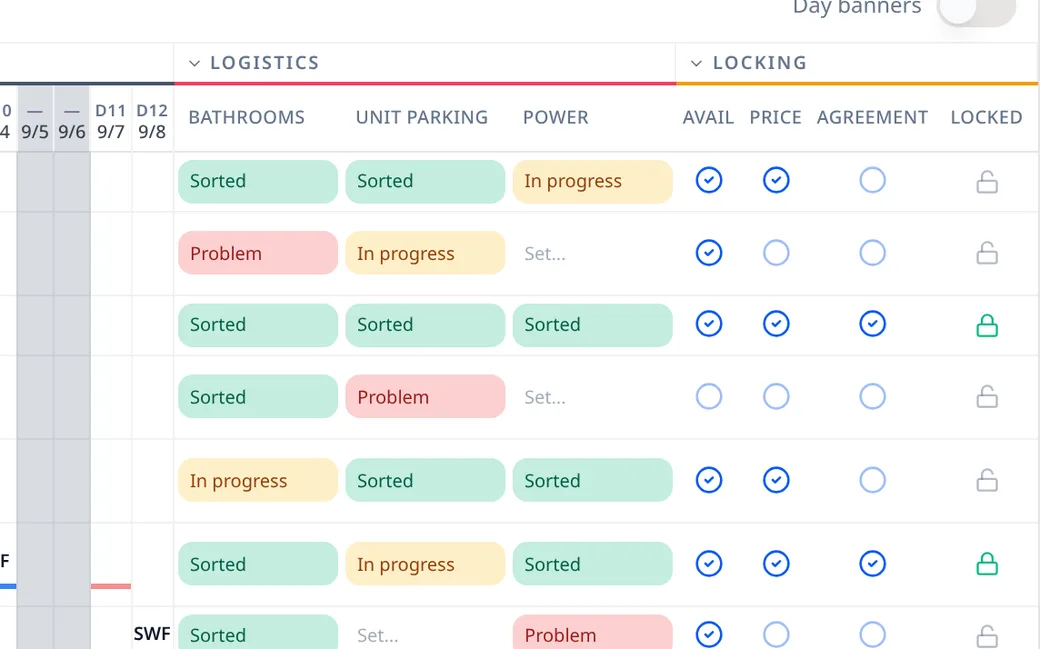
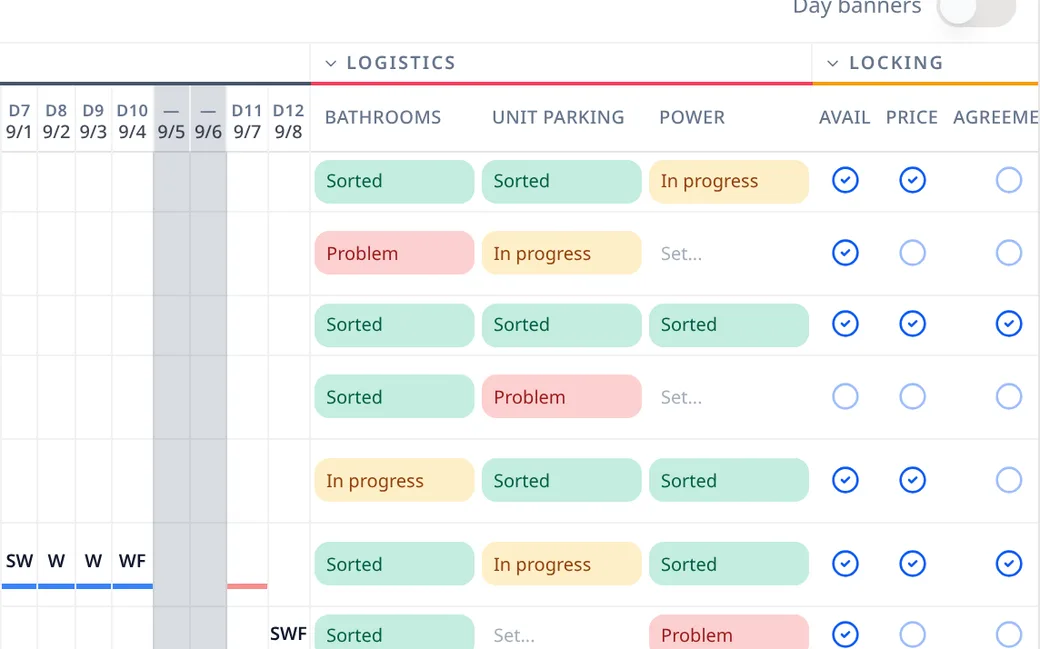
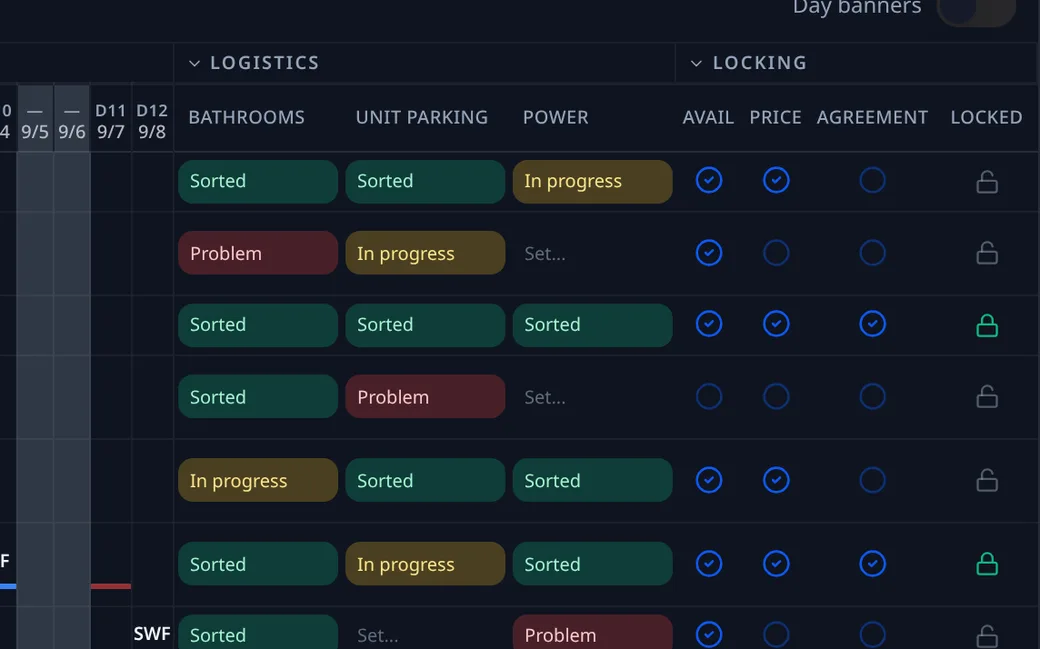
Availability, price, agreement, contract on file. The lock at the end of the row says whether all four are done.
05Logistics, facilities, permits
Add the columns your production needs. Every cell has a light: Parked, Problem, In progress, Sorted. One street closure PDF lands on every cell it covers.
Join the waitlist
We let productions in a few at a time. If you are in prep now, say so and we move you up.