
A project is one production. Inside it, script locations are the places the script calls for, and the locations you file under each one are the options you are putting forward for it.
The app used to call script locations "subcategories" in places, and you may still see that word in older material. They are the same thing.
Creating a project
- Click Projects in the main navigation
- Click New Project
- Fill in the name and description
- Set the production office, which is what distances in this project measure from. It overrides your default from Settings, which matters when a job's unit base is nowhere near your own office
Then add script locations with Add Script Location. Name them the way the script does: "Robert's Apartment", "The Diner", "Highway Exterior". Scene numbers work too if that is how your breakdown reads.
Filing options under a script location
There are two ways in, and they behave differently.
From a script location. The Add Location button on a script location opens the picker already pointed at it. Anything you choose is filed there.
From the project header. The same picker opens without a target, so it asks which script location to file into before it will let you add anything. This is deliberate: a location added to no script location lands in your library and appears nowhere in the project, which used to look exactly like a successful add.
A location can sit under more than one script location. That is normal rather than a mistake, since a house that could play as either the main residence or the neighbour's belongs under both. The picker only greys out locations already in the script location you are currently filing into.
Filing the same location twice under one script location does nothing, so a double-click or a retry after a flaky connection cannot leave it listed twice.
Moving things around
- Drag an option between script locations, or a script location into a folder
- Bulk add to project files a whole shortlist from the Locations page in one go
- Folders group script locations once a project gets big. See Organising a Project with Folders
- Views change what the same project shows you: cards for progress, list for comparing, map for logistics. See Card, Gallery, List, and Map Views
- Scout picks and final selects mark which options are worth visiting and which one is locked. See Scout Picks and Final Selects
Working with other people
- Roles: invite people as Creative Team, Production Team, or Locations Team, which decides what they see and what they can change
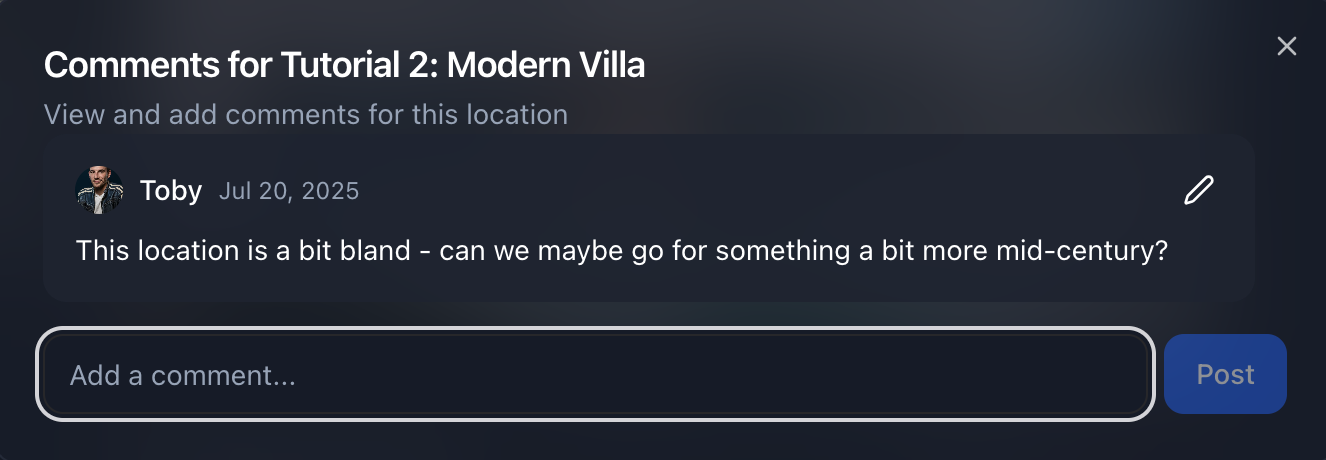
- Comments sit on individual locations
- References hold the visual language for a script location: stills, mood images, and a description
- Share links work without the recipient having an account
- Live updates: a collaborator's changes appear in your lists within about half a minute, and if two of you edit the same location at once LocoBase warns you rather than overwriting one of you
Share Projects with Your Team covers roles and what each one sees.
Worth doing early
Name script locations before you fill them. A project with six entries called "Script Location 3" is unreadable by the time it has thirty.
Set the production office when you create the project, not later. Every distance in the project is measured from it, so setting it late means re-reading numbers you have already used to make decisions.
Keep options you rejected. An option you passed on is worth more than a deleted one, because next season somebody will ask why, and the answer is in the notes.